Enabling regular museum and gallery visitors to find worthwhile exhibitions, plan a visit, and keep the art that stays with them.
Design direction
A connected path from “I’d like to see this” to an afternoon well spent.
CompanyCapture Art
My roleResearch, UX & UI design
Timeline2019–2020 · Refined 2021
My Contribution
I translated interview findings into design opportunities and led co-creation with exhibition visitors, artists, and curators. After the group project, I independently refined the mobile flows through usability testing.
Design snapshot
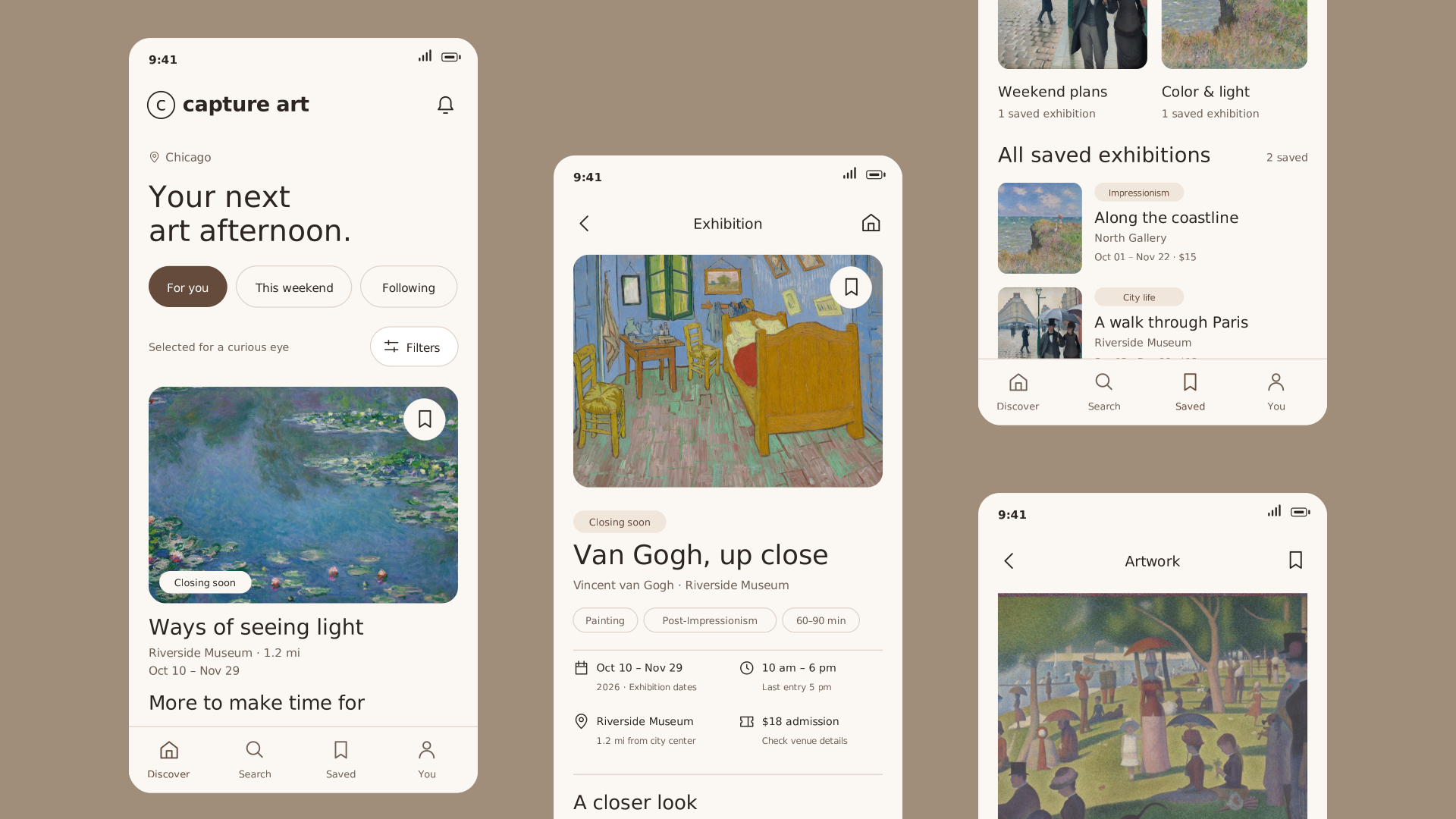
A visual first look at the redesigned experience: useful exhibition context before the visit, and a personal place to keep what matters afterward.
Redesigned experience
From discovery to a considered visit
Browse by interest and available time. Open a show to see the art, dates, location, and visitor context together.
Discover exhibitions worth your timeSee the art and the practical details
Explore the experience
Try the experience here. Browse an exhibition, save it to a collection, or leave a visitor note.
Keep a personal art index
Save exhibitions into collections that reflect how you think, weekend plans, places to revisit, or an interest you want to follow.
Organize by your own interestsReturn to a collection when you are ready
Interest was never the problem
The original project began with a familiar frustration: wanting to see more exhibitions, but piecing together information from social posts, friends, posters, and individual venue websites. An attractive image was rarely enough to decide whether a show was worth the trip.
A regular habit, with unnecessary friction
For someone who already enjoys looking at art, discovery is only the first step. Relevance, timing, practical details, and the confidence to make a plan all matter.
A broader visitor focus
The concept connects exhibition discovery with art interests and visit needs, while keeping artists and venues visible as the people behind each show.
Design around the whole visit
The journey made the opportunity more specific: help people decide before they go, stay focused while they are there, and retain what matters afterward. The phone should support the visit without becoming its center.
Visitor journey
A show becomes a visit
Actor: a regular museum visitor · Scenario: choosing and remembering a weekend exhibition
01
Discover
Find a show worth making time for
Action
Browse social posts, venue pages, and recommendations.
Question
What is happening, and is it for me?
Friction
Scattered information and unclear relevance.
Design response
Browse by interest, timing, and location.
02
Decide & plan
Turn interest into a realistic plan
Action
Compare the art, hours, location, and visitor context.
Question
What will I actually see? Can I make it?
Friction
Unclear expectations, forgotten dates, and difficult directions.
Design response
Combine artwork, visit essentials, and a saved reminder.
03
Visit
Keep attention on the exhibition
Action
Look closely, check context, and capture a memory where permitted.
Question
What should I notice? How much time do I have?
Friction
Missing artwork context and unexpected closing times.
Design response
Make context and practical details easy to retrieve.
04
Remember
Keep the visit useful afterward
Action
Save the show, organize references, and share a note.
Question
How do I find this again, and pass it on?
Friction
Memories scatter; useful observations do not reach future visitors.
Design response
Create collections and exhibition-specific visitor notes.
Let the art hold attention
Prioritize the details that remove uncertainty. Keep sharing optional, and respect each venue’s photography policy.
Turn research into a clear focus
I conducted 12 one-on-one interviews and used the findings to build personas and a journey map. The original research surfaced three connected needs: discover relevant shows, understand what a visit offers, and organize or share the experience.
12Original interviews
57Co-created concepts
2Iteration rounds
Make the priorities visible
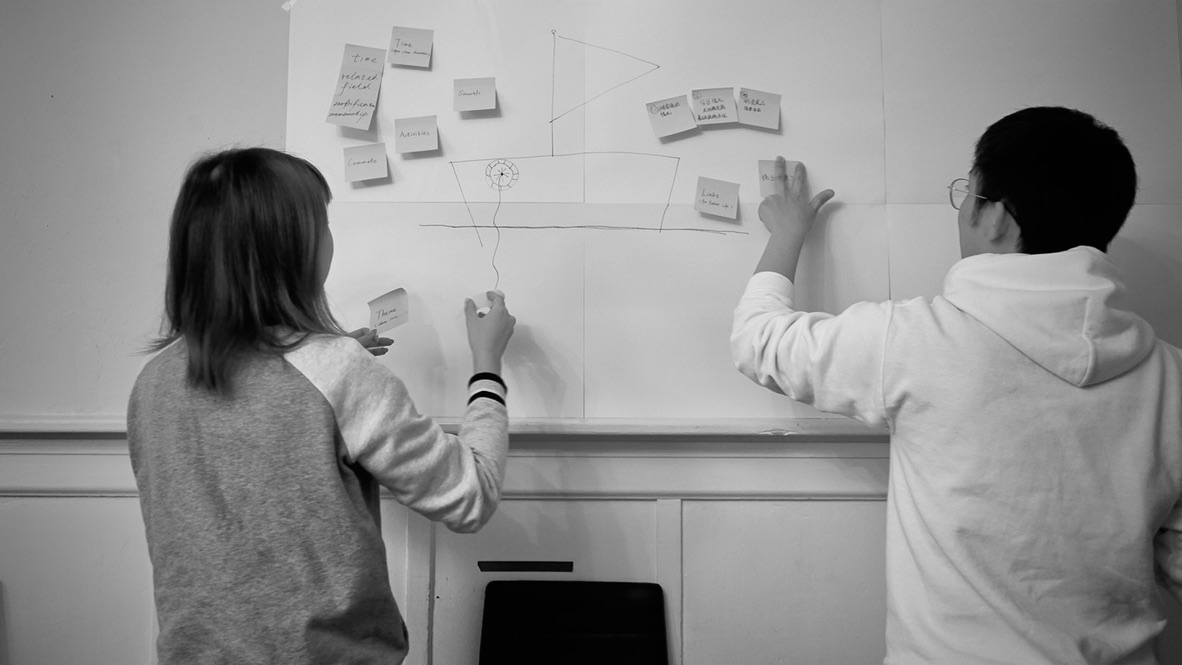
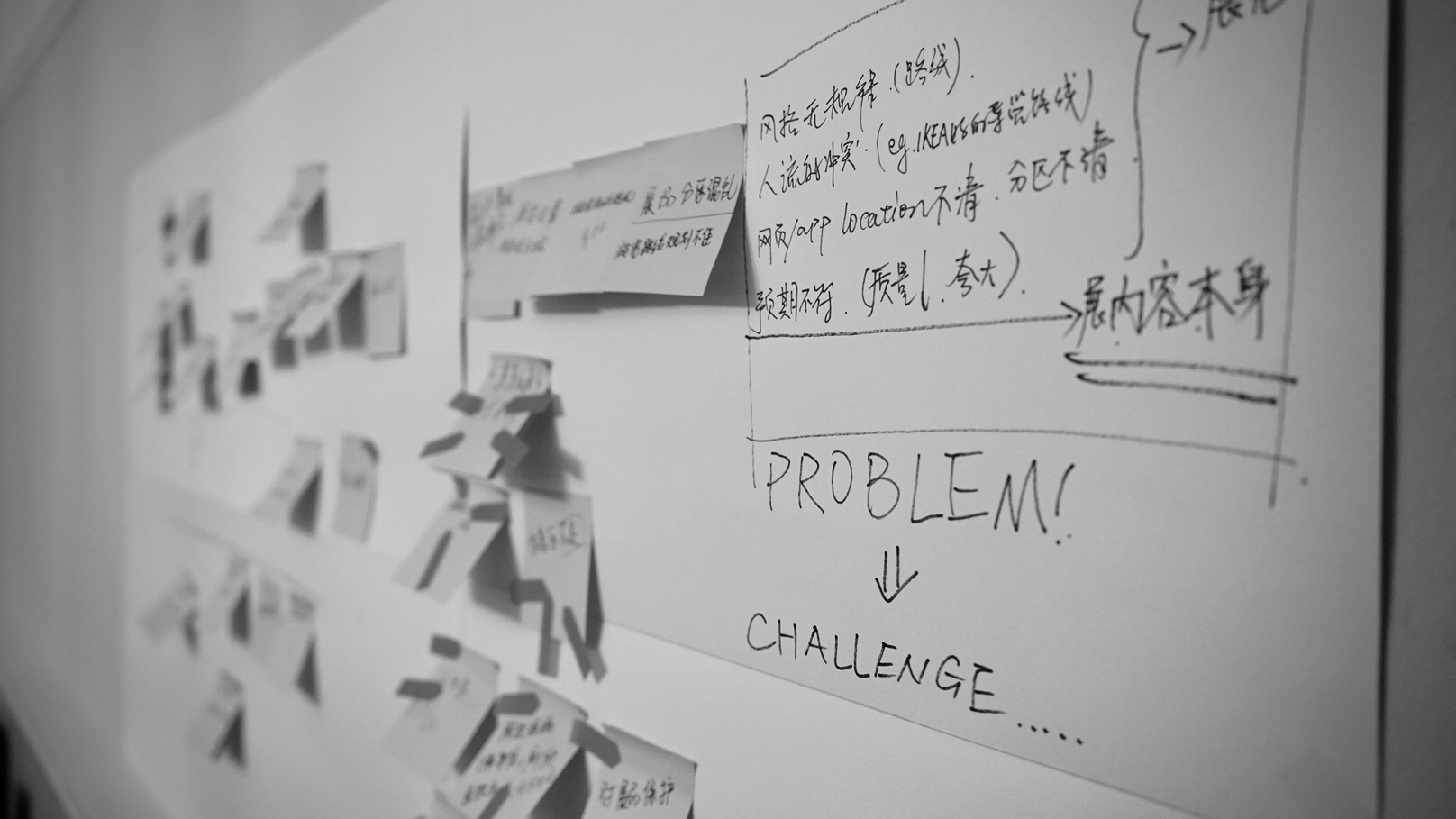
Co-creation brought exhibition lovers, artists, and curators into the same conversation. I grouped the ideas into a small set of connected capabilities, then explored the Home, Exhibition, and Publish pages.
Co-creation session57 concepts from the co-creation session
From need to design priority
Visitor need
Design response
Why it matters
Find personally relevant shows
Visible interest and time filters
Help people narrow options around a real visit.
Know what to expect
Artwork, venue details, and visitor notes in one view
Reduce the information gaps between interest and a decision.
Keep useful discoveries
Named collections and follow updates
Make saved art easier to return to.
Reach the right visitors
A dedicated publishing entry for artists and venues
Keep exhibition supply connected to discovery.
A calmer, more useful mobile experience
The design gives artwork more room, makes essential actions explicit, and uses a consistent hierarchy from discovery to collection.
Find something worth going to
One lead exhibition establishes a focal point, followed by a compact grid. Interest and time filters remain visible above the feed.
Search across exhibitions, artists, and venuesChoose a time and an art movement
Value
Artwork attracts attention; title, venue, and dates help a visitor judge the next step.
Tradeoff
Larger imagery shows fewer items at once. The compact secondary grid preserves browsing depth.
Make a visit easier to judge
The exhibition page separates practical facts from artwork and visitor notes. Hours, last entry, dates, location, and admission appear together, so the viewer can evaluate the visit before committing to it.
A focused visit-planning screenArtwork context stays close to the exhibition
Value
Planning details support an informed visit without interrupting discovery.
Tradeoff
Reliable details require a maintained source. This concept needs a venue-update and content-review process before launch.
Save with a purpose
The original tests exposed a hard-to-find collection action and requests for categories. The redesign uses a labeled New action, a clear add-to-collection step, and a dedicated collection view.
Create a collection in a single stepKeep followed shows and closing dates in view
Build a collection that feels personal
A collection holds both a future plan and a memory. It should be easy to create, name, and revisit.
Keep contribution connected to the art
Visitor notes belong to a specific exhibition, with a clear Write a note action. Artists and venues have a separate exhibition-creation flow. This keeps browsing focused while preserving the original community and publishing intent.
A clear action for visitor contributionsA dedicated flow for exhibition publishers
Try notes and publishing
Try the experience here. Browse an exhibition, save it to a collection, or leave a visitor note.
Small usability issues changed the priorities
The original case study reports two rounds of iteration and three feedback themes: filters, categorized collections, and community sharing. The visible testing table adds useful detail about where participants hesitated.
Evidence, response, and the next validation question
Task
Original observation
Current design response
What to test next
Find relevant exhibitions
The filter icon was too small to notice.
A labeled Filters control, with selected criteria visible in the feed.
Can visitors find and apply a useful filter without a prompt?
Add to a collection
A participant reached Collections but could not find Add exhibition.
An explicit add action and a named destination for each save.
Can visitors save a show and retrieve it from the intended collection?
Write a comment
An Add icon did not communicate “new comment.”
A visible Write a note label attached to the exhibition.
Do visitors understand where their note will appear?
Navigate after commenting
The bottom navigation competed with the comment action.
Contribution screens use a focused form and a single submission action.
Can visitors complete the note and return to the exhibition?
View testing findings
Four tasks × six participants, as recorded in the original artifact
Task
User 1
User 2
User 3
User 4
User 5
User 6
Comments → home
Pass
Pass
Unclear Add icon
Pass
Pass
Navigation / comment conflict
Create exhibition
Pass
Pass
Pass
Pass
Pass
Pass
Search + filter
Pass
Filter not noticed
Pass
Pass
Pass
Pass
Find + add to collection
Add action not found
Pass
Pass
Pass
Pass
Pass
Additional requests: collection categories (User 3) and artist communication (Users 4 and 5).
A visual system that lets art lead
The new direction pairs a warm neutral surface with a restrained warm brown. All editorial copy, diagram labels, tables, and mobile UI use General Sans. Artwork provides the color and variety; the interface provides a steady frame.
One type family
Aa
General Sans
Clear labels. Calm hierarchy. Room for the artwork.
Warm brown #654B3B
Warm ivory #FBF7F2
Soft beige #F0E6DC
Ink #2D2520
A stronger foundation for the next iteration
The design connects exhibition discovery with planning a visit and saving what matters. The next step is to test whether regular museum visitors can choose a relevant show, judge the visit, and retrieve a saved exhibition without help.
I would also validate the supply side: how venues keep exhibition details current, what visitor content requires review, and which reminders are useful enough to earn attention. Those operational questions matter as much as the polished screens.