TikTok · Lark Hiring · Enterprise UX
Simplifying recruiting at scale
Turning unallocated resumes into candidates ready for recruiters to move through the hiring process.
My resume-allocation redesign contributed to this broader result by making overlooked resumes easier to find and act on.
1 product designer (me), 1 UX researcher, 2 product managers, 5 developers
I partnered with our researcher to understand recruiters’ workflows, explored entry points, designed the allocation flow, and iterated through prototypes and usability testing.
Design snapshot
Try the workflow
Explore all three categories, assign a role, or complete a record. The yellow guide follows your next action.
A reminder without a next step
Lark Hiring’s “Resume Buffer Pool” held resumes the system could not match automatically: some lacked a position, others lacked personal information. Recruiters had to resolve these gaps before the resumes could move forward.
The persistent 99+ badge showed volume, but not the work behind it. Recruiters could not tell what needed attention or where to begin.
I worked with UX researcher Judy Zhou to study the existing system with junior recruiters through hiring managers. We found unclear categories, unclear actions, and a reminder that was easy to ignore.
“There are more resumes.”
“Here is what needs your action.”
I reframed the brief from improving a notification to clarifying the resume-allocation workflow.
Put the entry in context
I explored three ways to reach recruiters without asking them to adopt an unfamiliar workflow.
OPTION A · HOME DASHBOARD
Make it part of daily screening
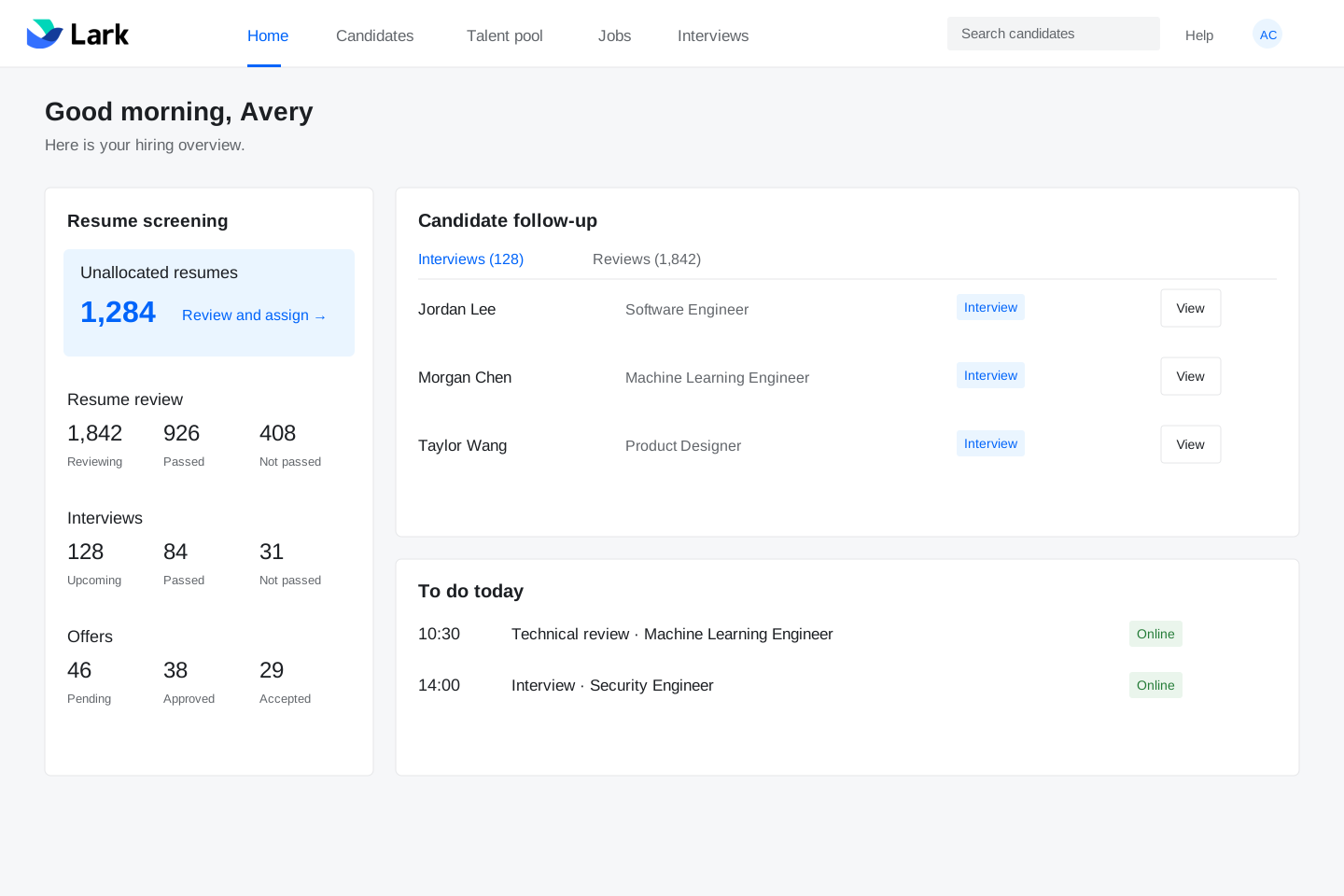
Value A reliable entry where recruiters already check hiring progress.
Tradeoff Adds another item to a busy overview.
OPTION B · CANDIDATE SIDEBAR
Keep it beside candidate groups
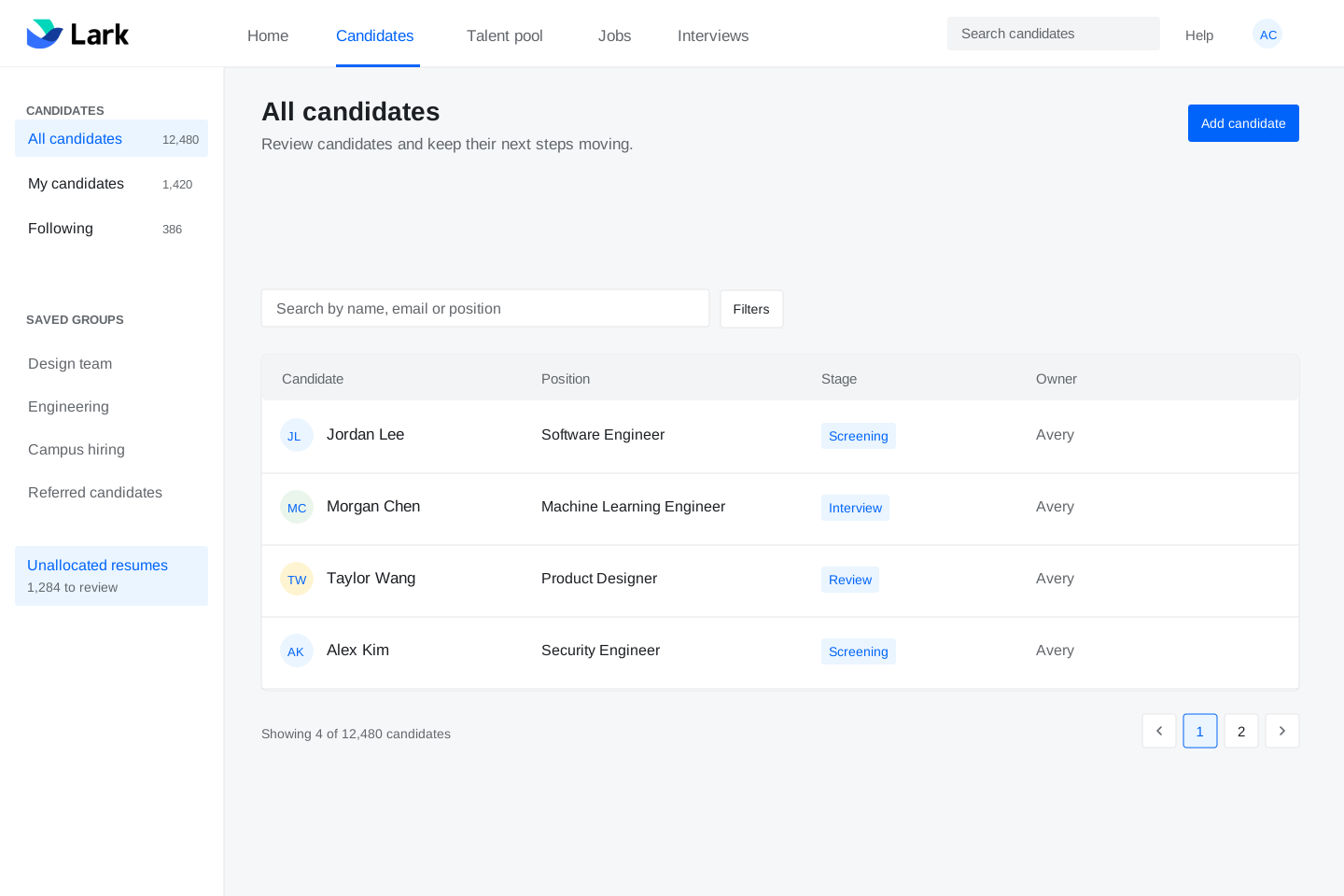
Value Keeps allocation close to candidate management.
Tradeoff Growing group lists can push the entry out of sight.
OPTION C · CONTEXTUAL REMINDER
Remind without interrupting
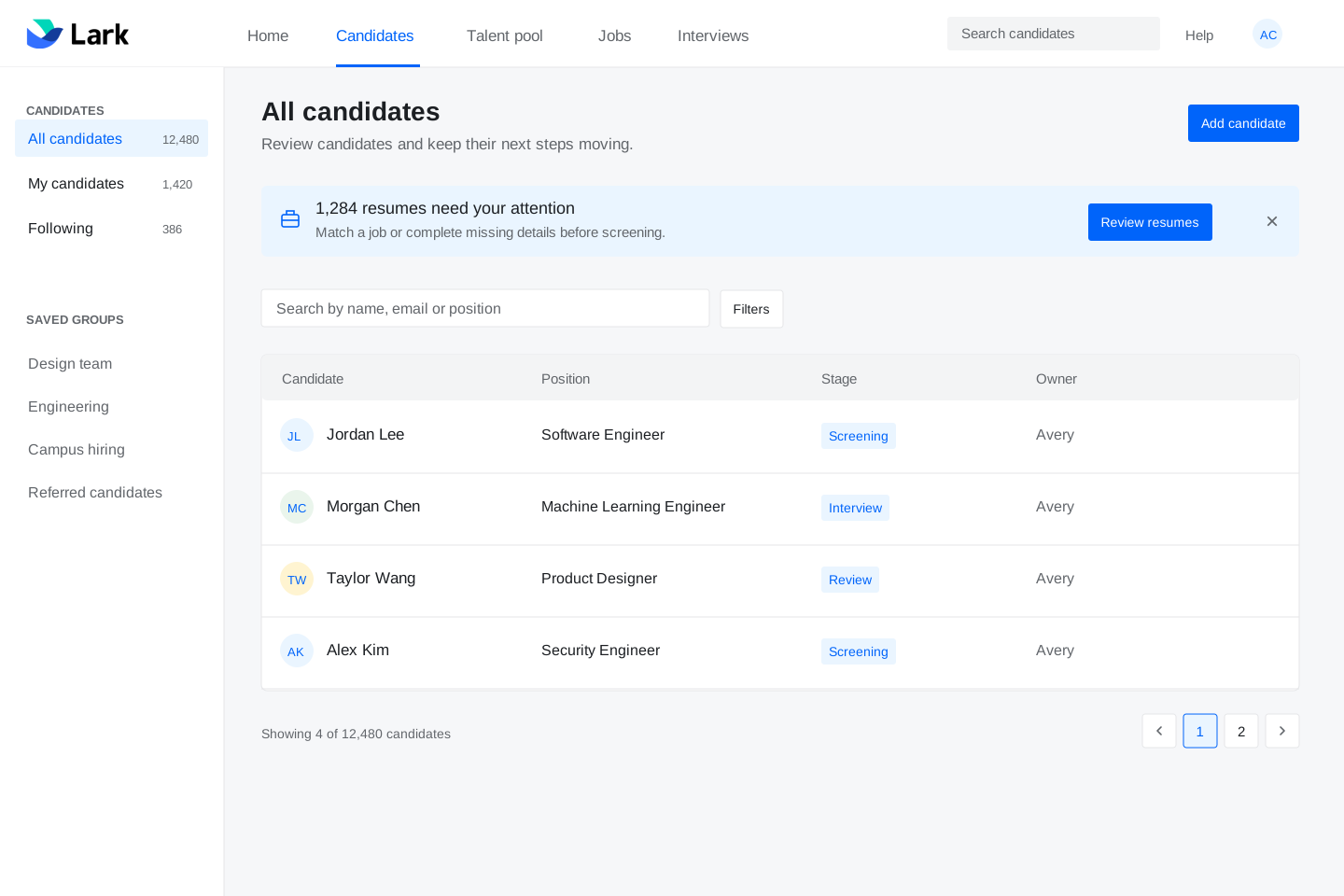
Value Makes unfinished work visible while recruiters review candidates.
Tradeoff Once dismissed, the reminder needs another route back.
I developed A and C together: a permanent home entry and a dismissible reminder on the candidate page.
Three categories, clear actions
The queue separates resumes by the information available. Each category gives recruiters a specific decision, instead of asking them to interpret a mixed backlog.
Match an internal job
Assign a job or save for later
Complete the candidate record
Final design
1. Match source positions
Recruiters can match a job title from an external platform to an internal position, or keep the resumes in the talent pool.
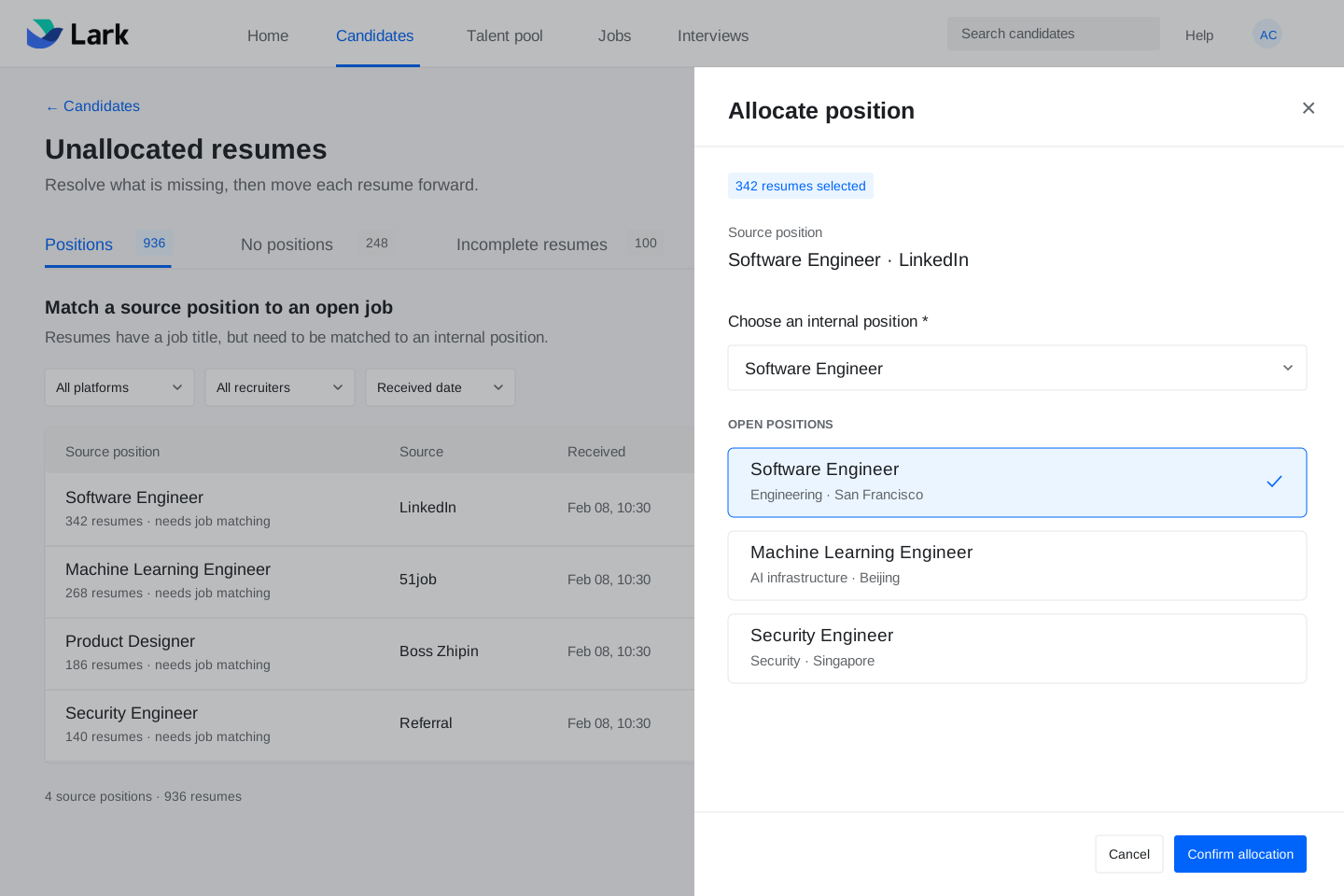
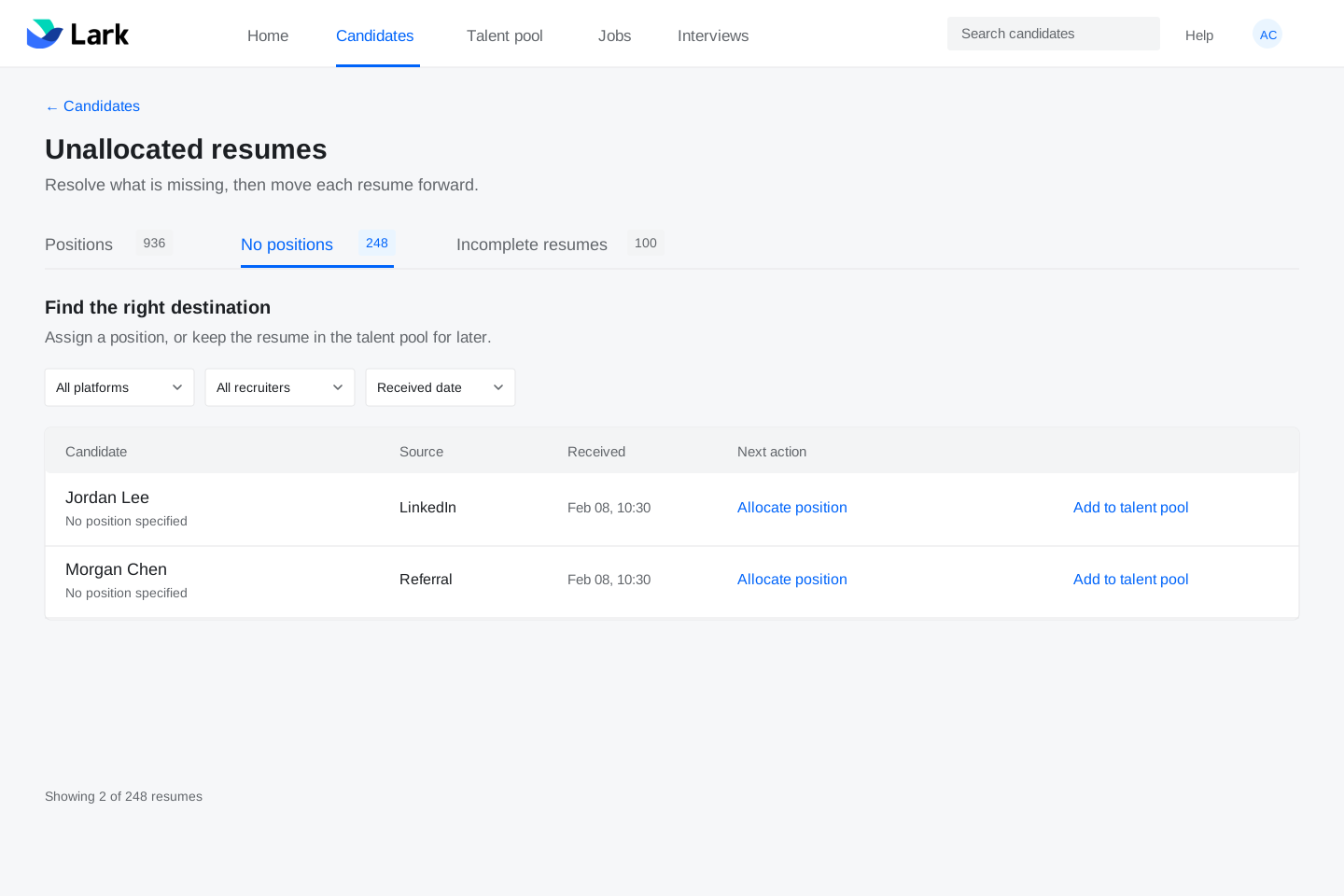
2. Give unassigned resumes a home
For resumes without a position, offer both useful destinations: an open role or the talent pool.
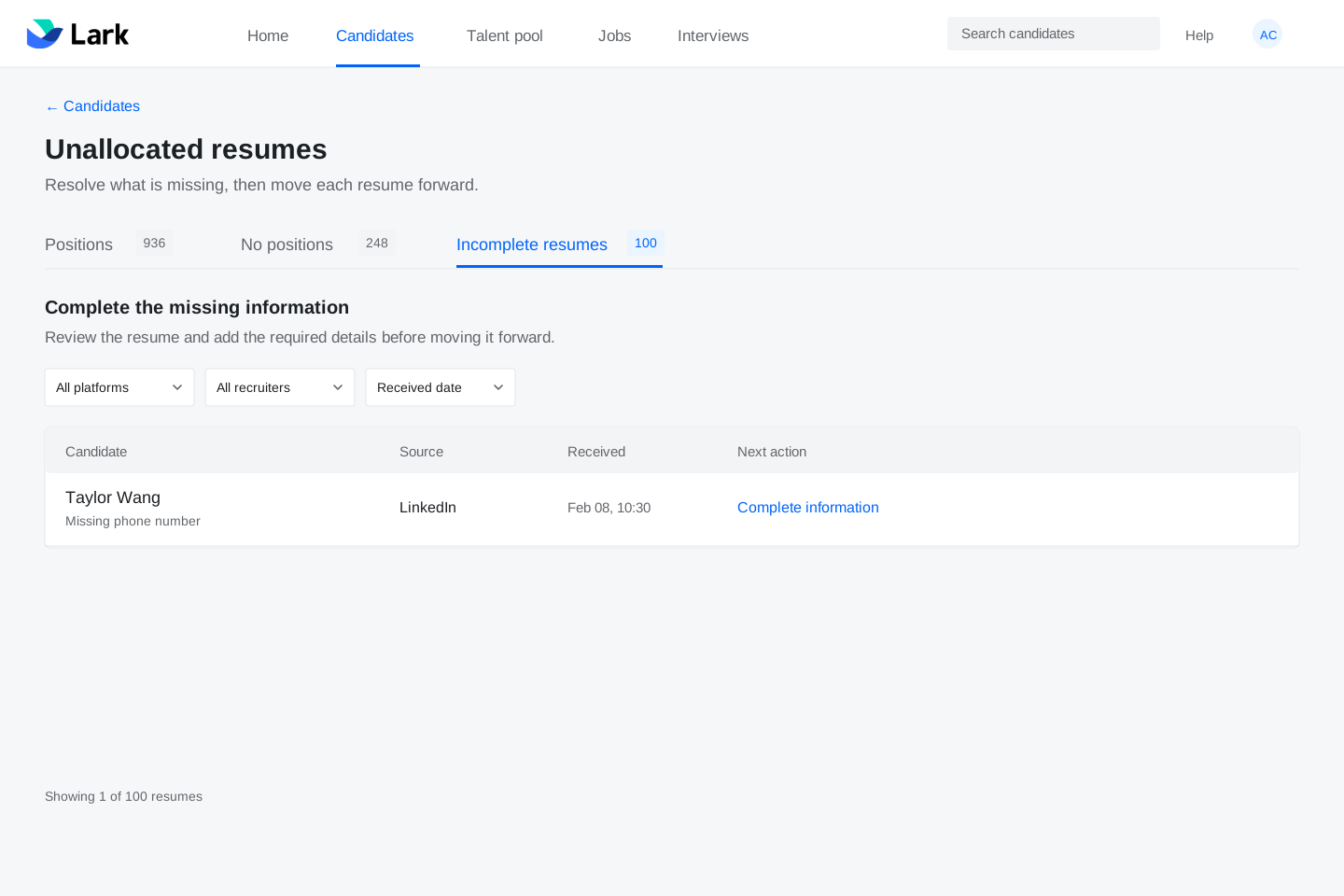
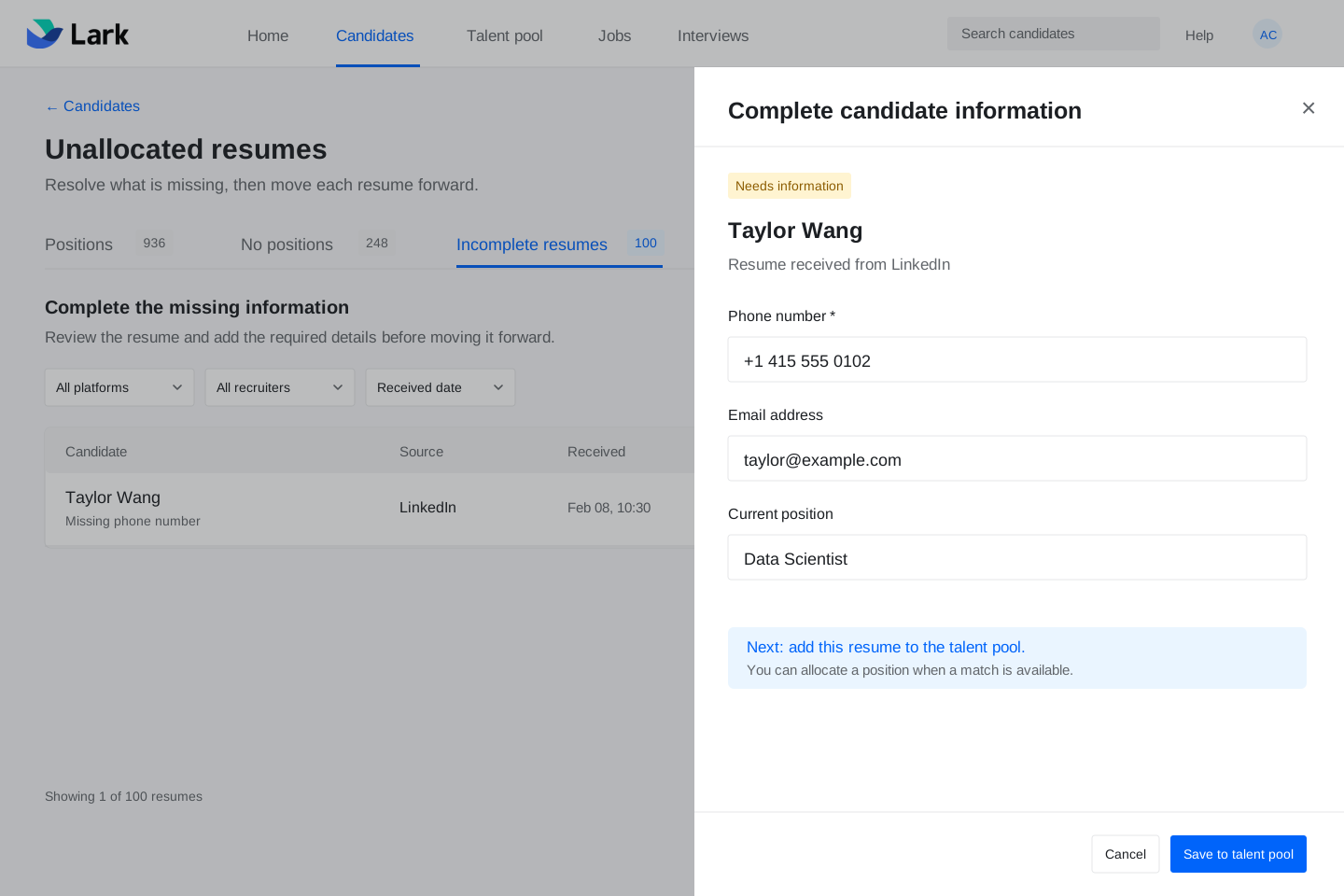
3. Show what is missing
Identify incomplete information before asking recruiters to edit a record and move it forward.
Collect feedback
Across 8 rounds of usability testing, we collected feedback on the recruiting workflow. I worked with the team to group the findings into themes and identify three gaps to address.
What testing revealed
The new entry fit the workflow, but its difference from the old version called for onboarding guidance.
Recruiters frequently entered from Candidates and asked for a permanent entry there.
Too many detail pages made the trip back to the queue unnecessarily long.
DESIGN RESPONSE
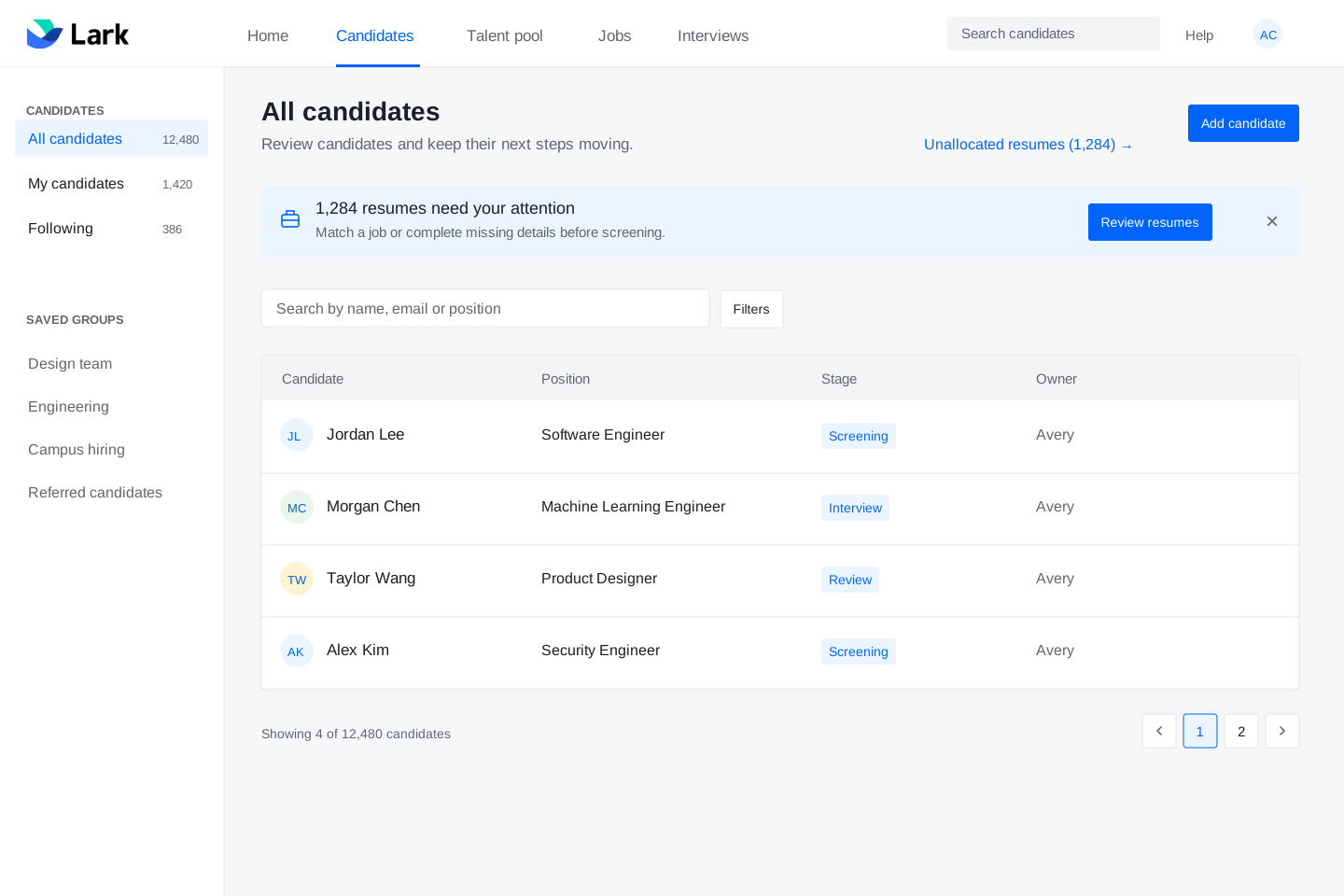
A persistent route back
Keep the contextual reminder, and add a durable link on Candidates. The task drawer also lets recruiters act without losing the queue.
Contributing to recruiting efficiency
I made unallocated resumes easier to find, separated them into three actionable categories, and clarified how to assign a role or complete a record. This redesign contributed to broader recruiting workflow improvements, including scheduling automation, that increased internal recruiting efficiency by 20%+.
The result covers multiple recruiting workflows; this project was one contributor.